Two devices. One connected store.
Your team talks without searching the store, customers get help with one button, and store equipment calls the right person by itself. Headquarters sees it all on one screen.
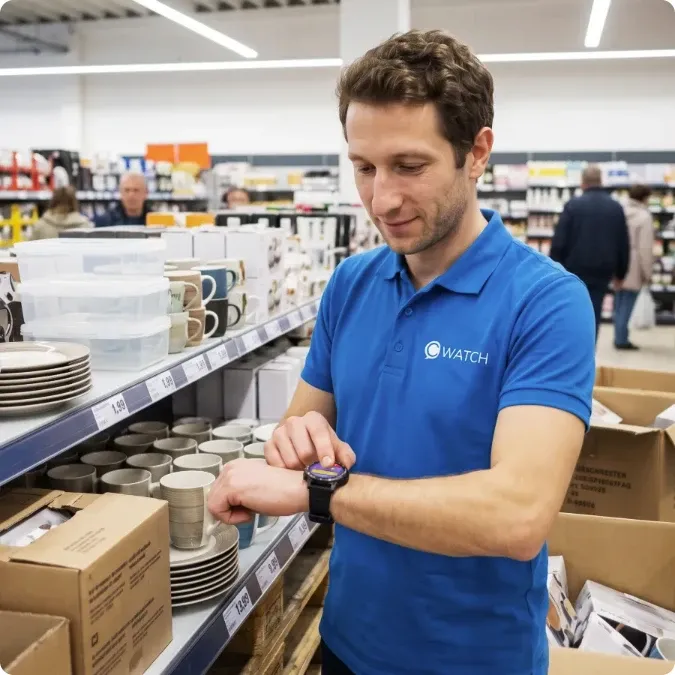
One watch connects the whole store.
A message from a manager or a colleague, a customer asking for help, a machine that needs attention. Each one reaches the right person exactly when it is needed, so nothing in the store is left without a response.
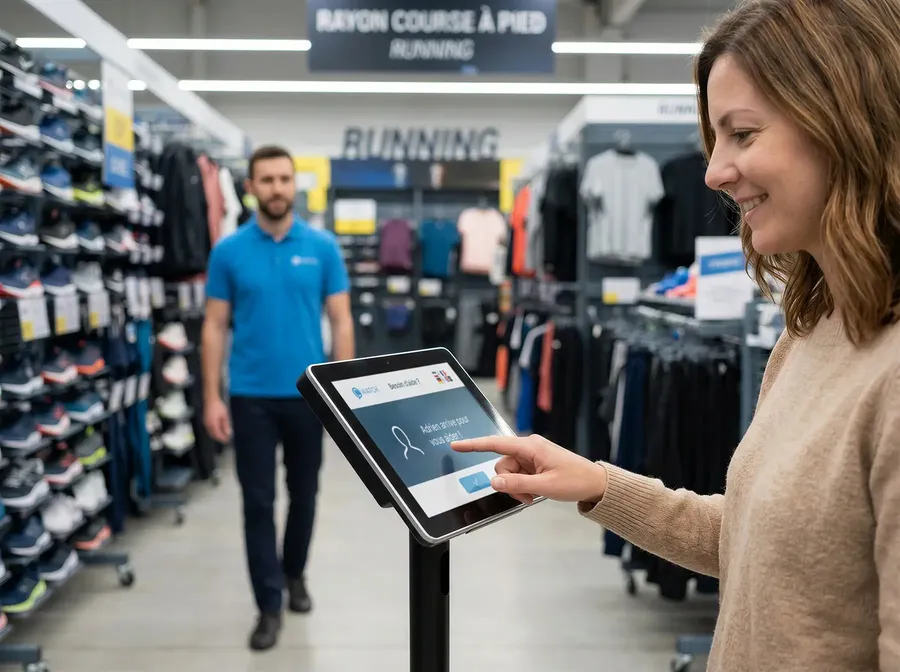
Customers call for help with one button.
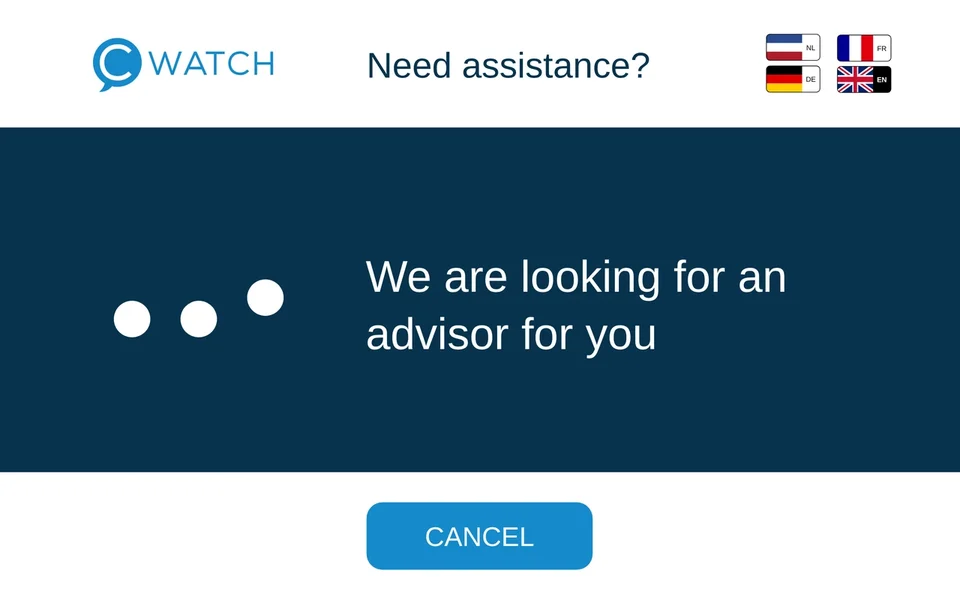
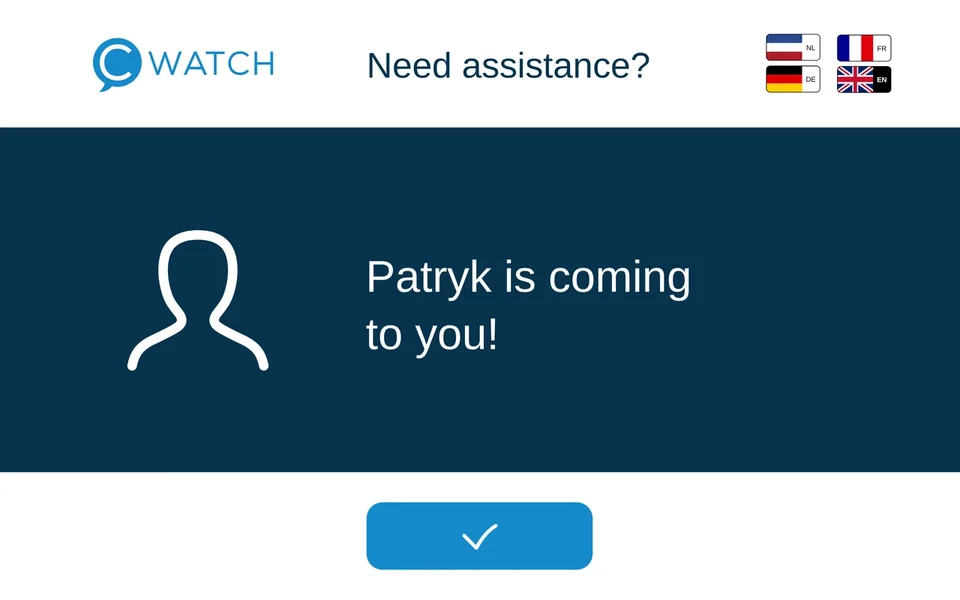
A screen placed where shoppers most often need advice. Nobody has to look for a store associate, and the customer sees that help is on the way.
Built for a full day on the shop floor.


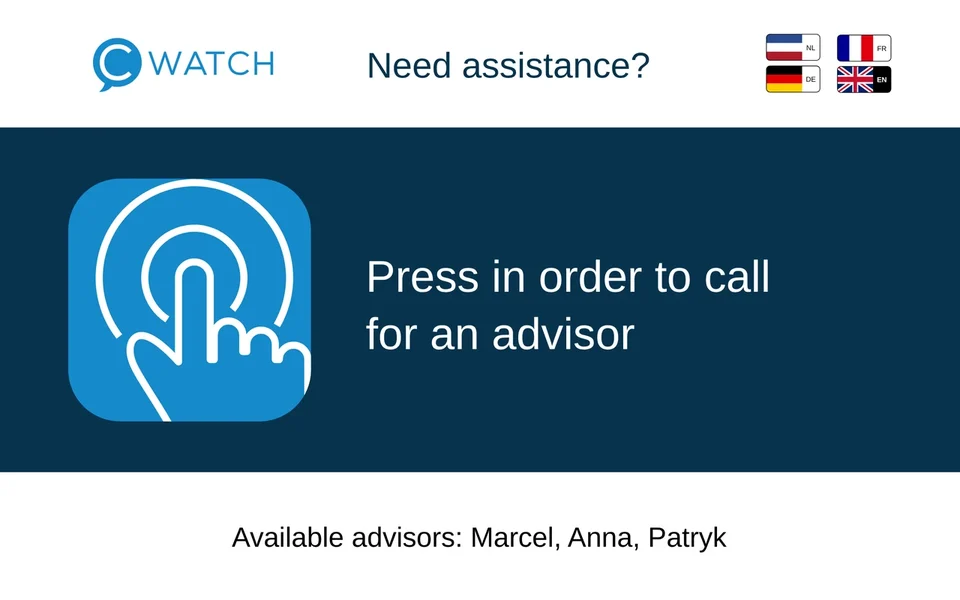
The customer call point
- One button to call an advisor
- Shows the name of the person who is coming
- Screen language chosen by the customer
- A busy associate passes the call on with one tap
- Built-in SIM with mobile data included, switches to store WiFi automatically
- Works anywhere with a power outlet, no IT project
The watch
- Voice messages to a person, a team or another store
- Transcription and translation into 31 languages
- Customer calls and equipment alerts, one tap to take them
- See who is available and who is on a break
- Built-in SIM with mobile data included, switches to store WiFi automatically
- Battery for a full shift, no GPS and no recording of conversations
Always charged. Always ready.
Watches are not assigned to people. Whoever starts a shift takes any charged watch, logs in and puts it back at the end.
The associate takes any watch
Every watch on the charger is ready to use
Logs in with their own PIN
Their name and department appear in seconds
Works the whole shift
One charge lasts a full shift on the floor
Puts it back on the charger
Logged out automatically and charging for the next shift
Chargers sized to the store
From 5 to several dozen watches per charger, placed in the staff area.
Watches for one shift
Any associate can use any watch, so a store needs only as many as people working at the same time.
No dead batteries mid-shift
No cables to plug in. Back on the charger means ready for the next shift.
The cDashboard for managers and headquarters.
A web panel, with nothing to install. It records every customer call, equipment alert and response time in every store, so you see where things run well and where work can be organised better.
 214 stores, today, sample data
- Hamburg, Altona4,8120:09
- Bremen, Neustadt3,9060:11
- Hannover, List4,2200:13
- Düsseldorf, Bilk3,5800:16
- Leipzig, Plagwitz2,9450:21
- Köln, Ehrenfeld3,3100:27
- Köln, EhrenfeldRVM 2 out of order1 h 12 min
- Leipzig, PlagwitzRVM 1 and RVM 3 offline48 min
- Stuttgart, Bad CannstattRVM 2 bin full26 min
Store managers
See when and where customers wait, and plan the shifts around it.
Headquarters
Compare stores, regions and formats with the same measures.
Set-up and devices
Manage teams, watches and customer call points, and order replacements yourself.
One monthly subscription, everything included.
You don’t buy any hardware. Everything a store needs to run cWatch is included, from the first day to the last.
One monthly fee per deviceHardware
Watches, customer call points and chargers
Software and updates
Every new feature as soon as it ships
Mobile data
A SIM card in every device, no dependence on store WiFi
Service and replacement
A device that fails is replaced at no extra cost
Support
By phone and email, 8:00 to 18:00 CET
cDashboard
Reports and management for every store
No upfront investment in hardware
Devices are rented, not bought, and everything is covered by the monthly fee.
No IT project and no network to build
Every device connects through its own SIM card, with no antennas or in-store network.
Starts with a free 30-day pilot
Test cWatch in selected stores and decide on the results.
Frequently asked questions
How quickly can a pilot be launched?
A pilot can be launched within 10 days of signing the pilot agreement. Devices arrive pre-configured and ready to use. No IT setup is required before going live.
Does deployment require an IT project?
No. Devices connect via built-in 4G SIM cards and switch to in-store WiFi automatically, so store teams can start communicating from day one without any integration. Optional connections to RVMs, self-checkouts and other store systems are set up by cWatch.
How long does staff onboarding take?
Store teams are typically up and running within a single shift. Training takes about 30 minutes, and using the watch is as simple as recording a voice message. Store associates log in within a few seconds and start communicating immediately.
How many devices does a store need?
You only need enough watches to cover one shift at a time. Any store associate can log in to any available watch, so there is no need to assign a dedicated device to each person. Watches are stored and charged on chargers between shifts.
What happens if a device is damaged?
Service and device replacement are included in the subscription. If a device has an issue, you order a replacement in the cDashboard at no additional cost and with no disruption to store operations.
Is there a minimum contract length?
The free 30-day pilot carries no commitment. After the pilot, subscription terms are agreed based on the scale and scope of the rollout. Contact us to discuss the structure that fits your network.
Can cWatch integrate with our existing store systems?
Yes. cWatch connects to IoT-enabled devices and third-party systems, including reverse vending machines, self-checkout equipment and other in-store infrastructure via the cWatch API. Integrations are optional, and cWatch sets them up for you.
How does cWatch work across multiple stores and markets?
cWatch is built for network-wide deployment. Rollout kits are standardised and activation is remote. Once the devices arrive, a store goes live within one shift. The cDashboard gives central visibility and management across all locations, regardless of country or market.
Does cWatch support multilingual store teams?
Yes. cWatch supports 31 languages with automatic message translation. Each team member can set their own preferred language, so a message sent in Polish can be received in English, Spanish or any other supported language without any manual effort.
What connectivity does cWatch use in-store?
Every cWatch device has a built-in SIM card with 4G connectivity included in the subscription. In stores with WiFi coverage, the device switches automatically between WiFi and mobile data at no additional cost. No dedicated in-store network infrastructure is required.
Ready to see cWatch in your stores?
Free 30-day pilot in up to 3 stores. Devices in 10 days, team live in one shift, results measured before and after. Book a 30-minute demo. No IT project.